Frank In Geometry Maps
Frank In Geometry Maps is an arcade platformer with automatic movement and challenging geometric mazes. Help Frank pass dangerous obstacles using perfectly timed jumps.
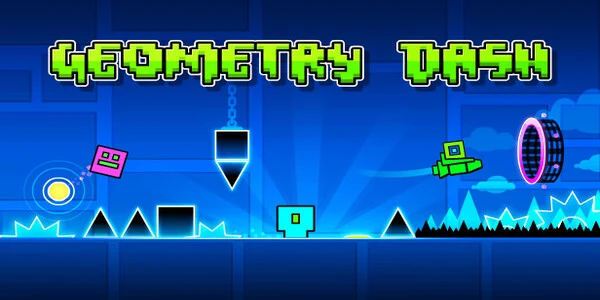
Frank In Geometry Maps is a dynamic arcade platformer that tests your reactions, timing, and attention. This Geometry Dash-like game sees your geometric cube, Frank, pass through tricky maze-like courses. You should guide it through the platforms, avoid sharp spikes, and various traps.
Frank moves automatically forward; Hence, all you need is to perform jumps correctly. Yellow boosters will help Frank reach higher platforms, and obstacles make passing each course harder.
With its simple controls, the game is suitable for beginners. However, overcoming all courses will take some patience and effort. This game is highly recommended for people who like obstacle-based arcade challenges.
How to Play
Your main goal in this game is to overcome all dangers and pass the course, reaching the finish point. Frank moves automatically forward, while the player should control his jumps. To make Frank jump, press the Spacebar, click your mouse, or touch your mobile screen.
Pay attention to spikes, gaps, and moving platforms. Some maze levels will require fast jumps, while others will have gaps requiring precise timing to land safely. The yellow boosters help reach additional heights, allowing Frank to cover larger gaps or get on the higher platforms.
Notice the patterns of obstacles and the places requiring precise jumps. When you fail, use your experience to pass the level successfully the next time. Each level brings unique challenges, and observation and accurate timing are crucial to passing them.
Game Features
Six Maze Courses: Pass challenging geometric maps containing various obstacles.
Yellow Boosters: Use special boosters to make Frank jump to the higher platforms.
Moving Obstacles: Avoid the moving platforms and traps.
Simple Gameplay: Play with easy controls and challenging game mechanics.
Fast Gameplay: Pass the automatic movement and jump challenge test.
Controls
- Spacebar: Jump.
- Mouse Click: Jump with Frank.
- Touchscreen: Touch to jump on supported mobile devices.
Comments (0)
No comments yet. Be the first to comment!