Geometry Dash Lite
Geometry Dash Lite is a rhythm-based platformer game that revolves around precision movement and avoiding obstacles. Play according to the music and get better.
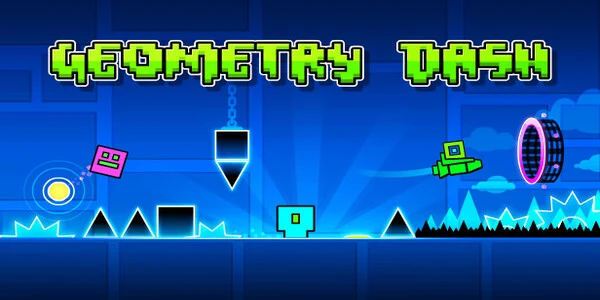
Geometry Dash Lite is a free, ad-supported rhythm platformer game created by RobTop Games. You need to move a geometric character through obstacle courses that have spikes, holes, and many other obstacles. As your character moves automatically, reaction and proper timing are very important. Electronic music gives a rhythm to levels, and portals give you new abilities such as flying and changing gravity. The simple controls are easy to understand, but the stages require patience and practice. This is the Lite version of Geometry Dash with official levels and some additional challenges.
How to Play
Select a level and get your character to the end of it. To do it, you should tap the screen, click the mouse, or press the necessary key to move. If flying, you hold or release the input to control the movement. Try to avoid collisions with spikes, walls, and holes because after the first collision, your attempt fails and you return to the beginning of the level. Pay attention to the soundtrack because it helps to predict the pattern. If any challenging part of the game, turn on Practice Mode and add checkpoints to learn difficult sequences without restarting the entire run.
Game Features
Music & Actions: Sound effects make obstacle courses rhythmic.
Varied Gameplay: With portals, rockets, gravity changes, and different types of movements are introduced.
Practice Mode: Help yourself to learn difficult sections with the help of checkpoints.
Unlockable Designs: Gain icons and different colors for the character.
Extra Features: Discover additional content on a daily, weekly, and event basis.
Controls
Mouse Click / Tap: Jump or control the movement.
Spacebar: Jump.
Arrow Up: Jump or fly.
Hold Input: Control the flying parts.
Comments (0)
No comments yet. Be the first to comment!